I’m afraid even after reading the Metagrid Legacy version user guide where it briefly discusses Omni Space, I’m at a loss.
Yes, I understand the Omni Space benefits.
But what I can’t figure out is on my iPad how to get out of Omni Space, and get back to my Metagrid scenes….you know, normal Metagrid. (I’m on the Legacy version if that matters.) Sometimes Metagrid accidentally goes into Omni Space, and then I’m stuck. For years, my solution is to re-start my iPad.
So how do I do it? If anyone suggests some form of finger swipe please be specific. I have tried every combination of 1 finger and 2 finger swipes from every side. Please be patient and treat me like a baby even though I have used the original Metagrid for years. I’m a PC guy and until Metagrid I never used an iPad.
Thank you and I’ll be forever grateful. I get the feeling that the developer somewhat forgets that there are PC users not familiar with iPads and all the finger gesturing. If there is a master finger gesturing key applicable for Metagrid, that might be nice too.
But for now, how to get out of Omni Space and back to Metagrid on my iPad?
I also often got stuck with Omnispace especially when starting MG. My annoying way out: a long tap to the left upper corner leads you to the access of the content manager where you can open any grid and you are back in the game again…
So in Omnispace-Mode I can open Prgs - but it doesnt go any further, doesnt react on switching Prgs on Computer desktop - until I go this mentionend way via content manager where I tap on the grip of “Sumatra” for instance and I am good to go…cheers!
@gregor OK, so it is not MGP Classic :-). So what happens when you press again the Omnispace button? It should return to the profile for the currently selected grid.
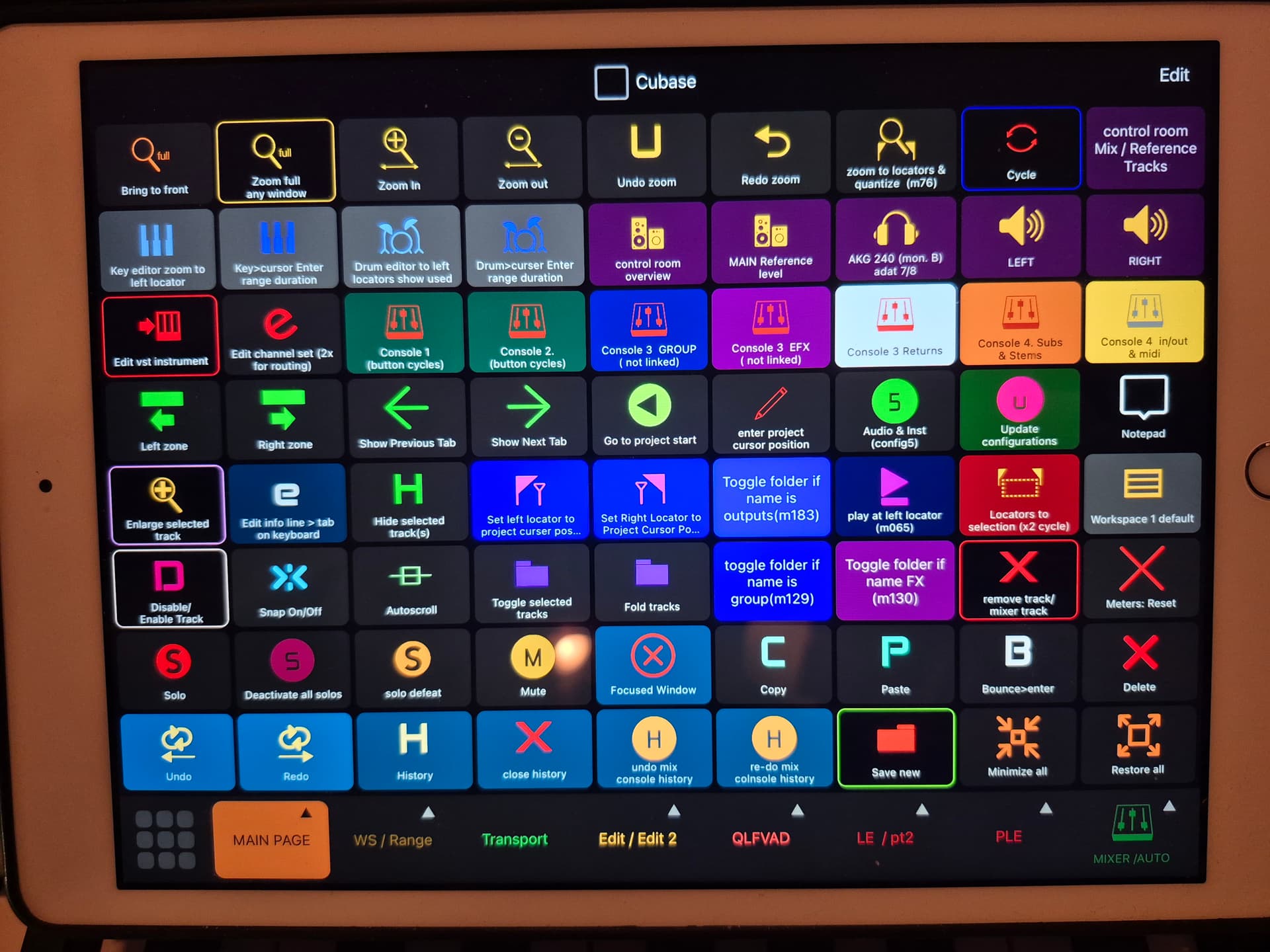
hello and thanks for replying. Yes, Metagrid Classic. Attached is my default scene. I have MG configured so there is just 1 shift button on the lower left as you can see.
I can’t even tell you how I get into Omni Space! It happens by accident. Then I have no clue how to get out of it without shutting down my iPad and restarting.
Am I missing a manual or tutorial about any of this? I have used Metagrid Classic pretty much from the start, and I’m afraid the manual addresses OmniSpace like the user already knows what its all about, and how to control it.
I think I’m limited to finger swipes correct? It even took a while for me to figure out how to show the bottom row of scenes. (iirc 2 finger up starting at bottom)
Anyway when I accidentally get into OmniSpace, probably by my finger swiping and not knowing it, how do I get out of OmniSpace, and back to what you see above?
I`m embarrassed to see omnispace reacting (after weeks) ok (it switches to the opened program) - apparently something happened in the background - but now MG starts with showing grids that are not in focus: eg cubase mix console (is my common grid) or melodyne although my fallback grid is omnispace… there seems to be one or the other problem hidden in the opening routine of MG… (Win 10, Metaserver 5.1.7, MG 1.6.13) good luck !
You are on the Pro version, and I’m on the original. I have never seen what you have…even that sidebar.
I keep thinking there must be accidental finger swipes to go from my normal display shown above, to an Omni Space display. And there must be some type of finger swipe to remove OmniSpace so I can get back to my normal display…without completely turning off my iPad and restarting.
Someday I will upgrade to the Pro version. Others have said I can configure everything just like it was in the Legacy Version.
One of my hesitations is that to my knowledge, there is still no replacement how Metagrid works with Cubase. Steinberg has threatened to remove the Generic Remote, but I’m guessing thats mostly a PR thing to get users to use the Midi Remote, and the Generic Remote will be around for quite a while.
Anyway, it’s the stupid easy stuff like getting into and out of OmniSpace that has me baffled.
Doesn’t Prez, the developer check these posts like he did years ago? Probably too busy…