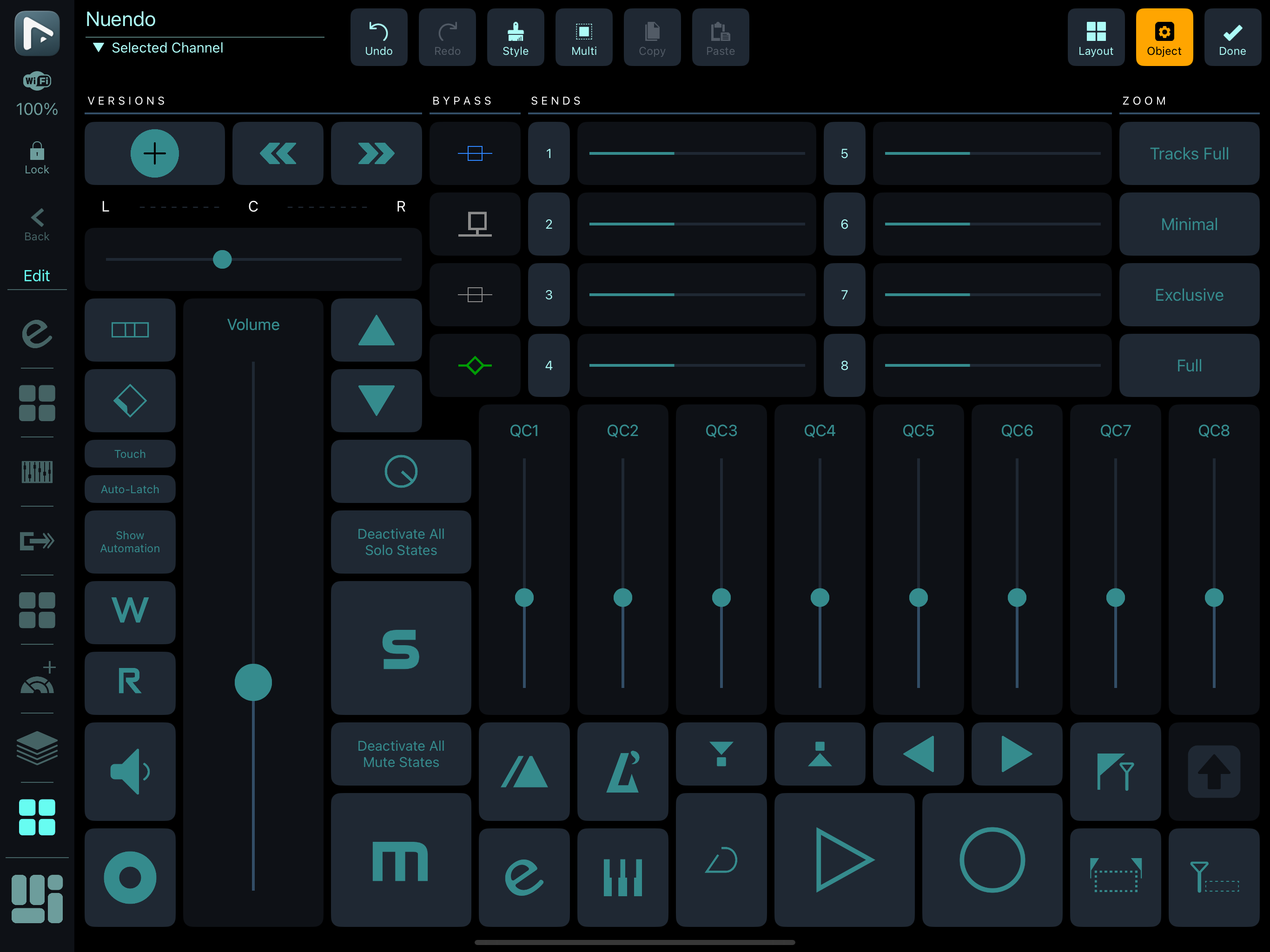
I have a problem with the Selected Channel grid in Nuendo 14 on Mac.
It receives all changes from the selected channel, but it sends only some controls (e.g. mute, solo, transport). It doesn’t send any fader information, or rather the data it sends doesn’t affect the selected channel. I noticed that the fader data is sent through Metasystem MIDI In, even though the selected channel script is set to Metasystem Cubase Sync.
I also note, that the volume fader macro is set to a different MIDI CH/CC (10/16), than specified in MetaGrid Pro_Selected Channel.js.
var selectedTrackVolumeKnob = surface.makeKnob(0, 1, 1, 1);
try {
    selectedTrackVolumeKnob.mSurfaceValue.mMidiBinding
        .setInputPort(midiInput)
        .setOutputPort(midiOutput)
        .bindToControlChange(9, 16);
Metaserver 5.2.1
Mac OS 15.4
Do you have also the Generic Remote metasystem3.xml installed?
No, I removed those. I only left Generic Remotes for custom macros.
here’s what I see on my end:
1 Like
Partial success…
I was able to make the faders for volume and pan work, by changing their object name to @selectedTrack. Doing this for the pan, also reset its assigned macro to cc16 ch10. After changing back to cc17, it works. The objects for sends don’t work.
It looks like MG is confused about which MIDI port to use for a macro–Metasystem Cubase Sync or Metasystem MIDI. If fact, I don’t see a setting for this in the MG object editor.
The Bypass and Send buttons still not functional on the Selected Channel grid.
Any help please?
This is really confusing. The setup guide doesn’t say that metasystem3.xml has to be setup in Cubase. However, one of the setup videos does. On the other hand, Metasystem2.xml is briefly mentioned in the guide even though Metasystem1-3.xml are not included in the Cubase resources.
Please clarify the instructions.
There are two ways to configure MetaGrid Pro with Cubase:
if you are on Mac, you can use our MIDI Remote implementation. If you are on Windows and want to use the selected channel functions, you need to use the Generic Remote xml integration - and Metasystem 3.xml is responsible for handling selected channel parameters like volume, pan etc. Let know if you need more help.
I’m on Mac, using your MIDI Remote implementation. The bypass and send buttons don’t affect the selected channel, unless Metasystem 3.xml is imported into the generic remote.
In any case, the send faders have no effect.
Nuendo 14.0.30, Mac OS 15.5
IpadOS 18.5
OK, thanks for the feedback - can you see if you have got some errors on the MIDI Remote console?
No, no errors in the MIDI Remote console.
Another problem, I updated from Nuendo 13 to Nuendo 14, and all Menu Commands used in MGP have to be first cleared and then recreated.
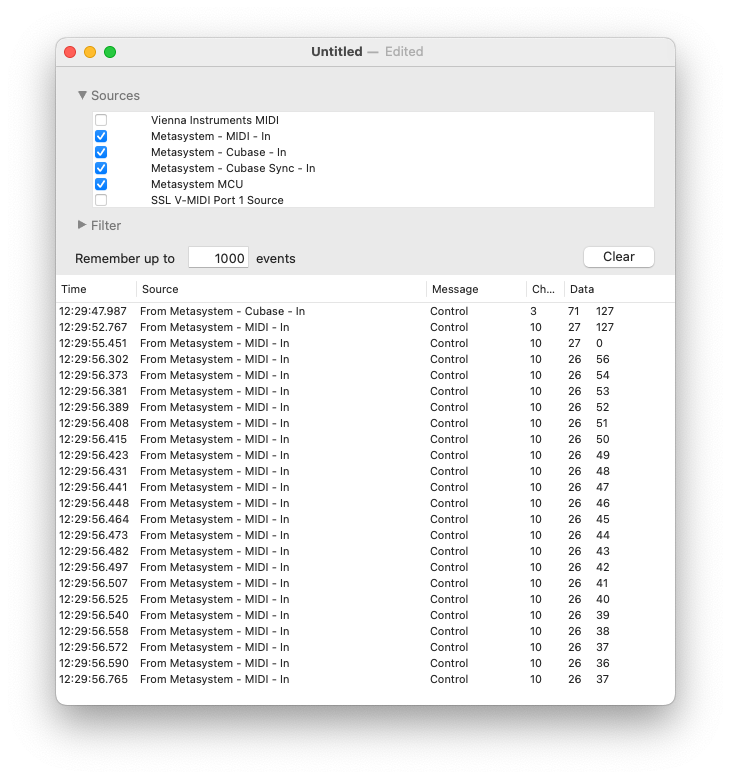
See the MIDI log below. The first event was triggered by a working button, the rest is not functional.
Are objects of the Selected Channel grid supposed to transmit on Metasystem-MIDI port?
No, they should not - unless you have got Metasystem3.xml GR hooked.
How do you choose a MIDI port for a MG button to control a selected channel?
kindly bumping for an answer.
Apologies for the late answer - missed this completely. You do this through the target app for macro in the button editor - just select Cubase Grid Sync item there.
This is a mess…
I turns out, if you try to import the SCG through Import Grid/Presets/Cubase Selected Channel,
it will import a nonfunctional outdated version of the grid.
Instead, you need to import the whole Cubase workspace.
The Preset system will be redesigned in the upcoming 1.6.10 this month. Thank you for your patience.