MetaGrid Pro Edit Mode Reinvented
Editing in MetaGrid Pro used to mean juggling multiple modes — Layout vs. Object editing, toggling multi-selection, enabling/disabling Copy-Paste Style. Powerful, yes… but sometimes clunky. With the upcoming MetaGrid Pro 1.6.x, all of that is gone.
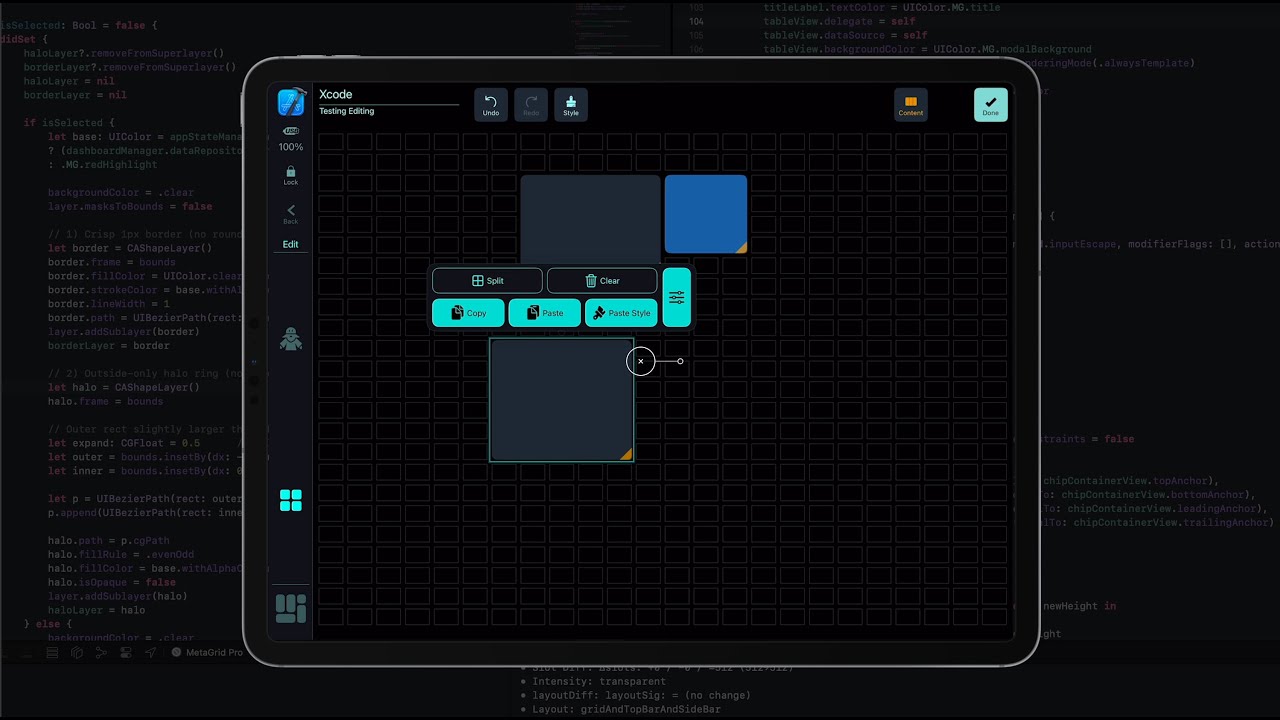
Now editing is smooth, context-dependent, and streamlined:
 No more switching between Layout and Object editing — everything happens in one unified flow.
No separate multi-object selection mode — just select what you need, when you need it.
Copy/Paste Style is always there, context-aware, and effortless.
The Context Bar adapts instantly to what you’re doing.
And that’s only the beginning. For a long time, editing grids in MetaGrid Pro had its limits:
• Copy & Paste only worked on existing objects.
• Filling large empty areas was a slow, manual process.
• Creating series of MIDI parameter buttons meant building and tweaking each macro one by one.
That changes now:
Copy & Paste works seamlessly on empty spaces, even across grids.
Tiling auto-populates empty areas in a single step.
Paste Style lets you adjust entire ranges of MIDI parameters in a swipe and tap — no more repetitive macro editing.
This isn’t just a refactor — it’s a reinvention of editing in MetaGrid Pro. It’s faster, smarter, and finally feels as fluid as performing.
The new system goes into beta this week.
 Here’s an informal walkthrough from Przemek


 Really nice work!!.